How to Reschedule A Session
1. Cancel Your Current Session
You can cancel in either of these two ways:
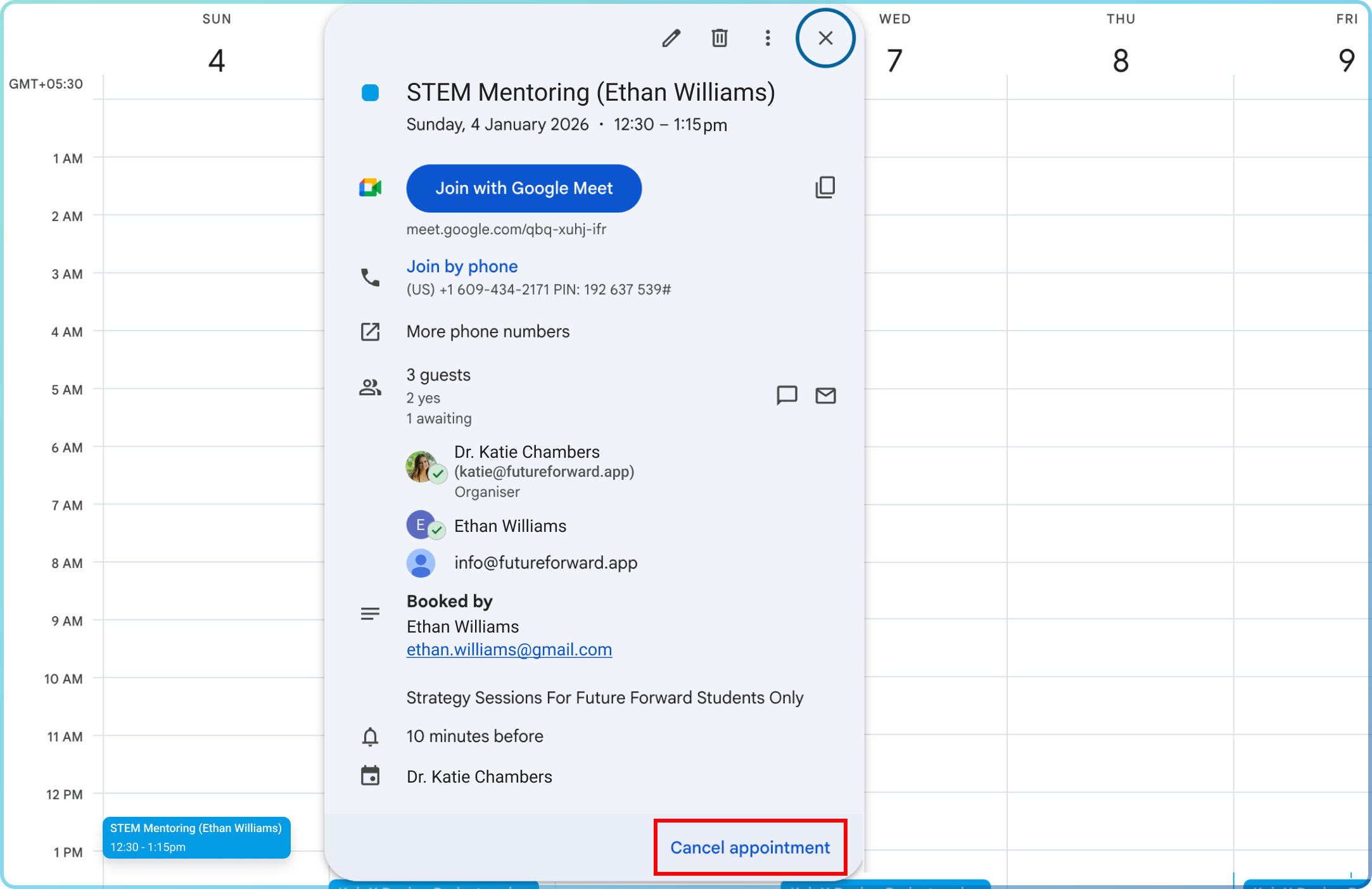
Option 1: Through Your Calendar
- •Open your calendar event for the scheduled session.
- •Click "Cancel appointment."
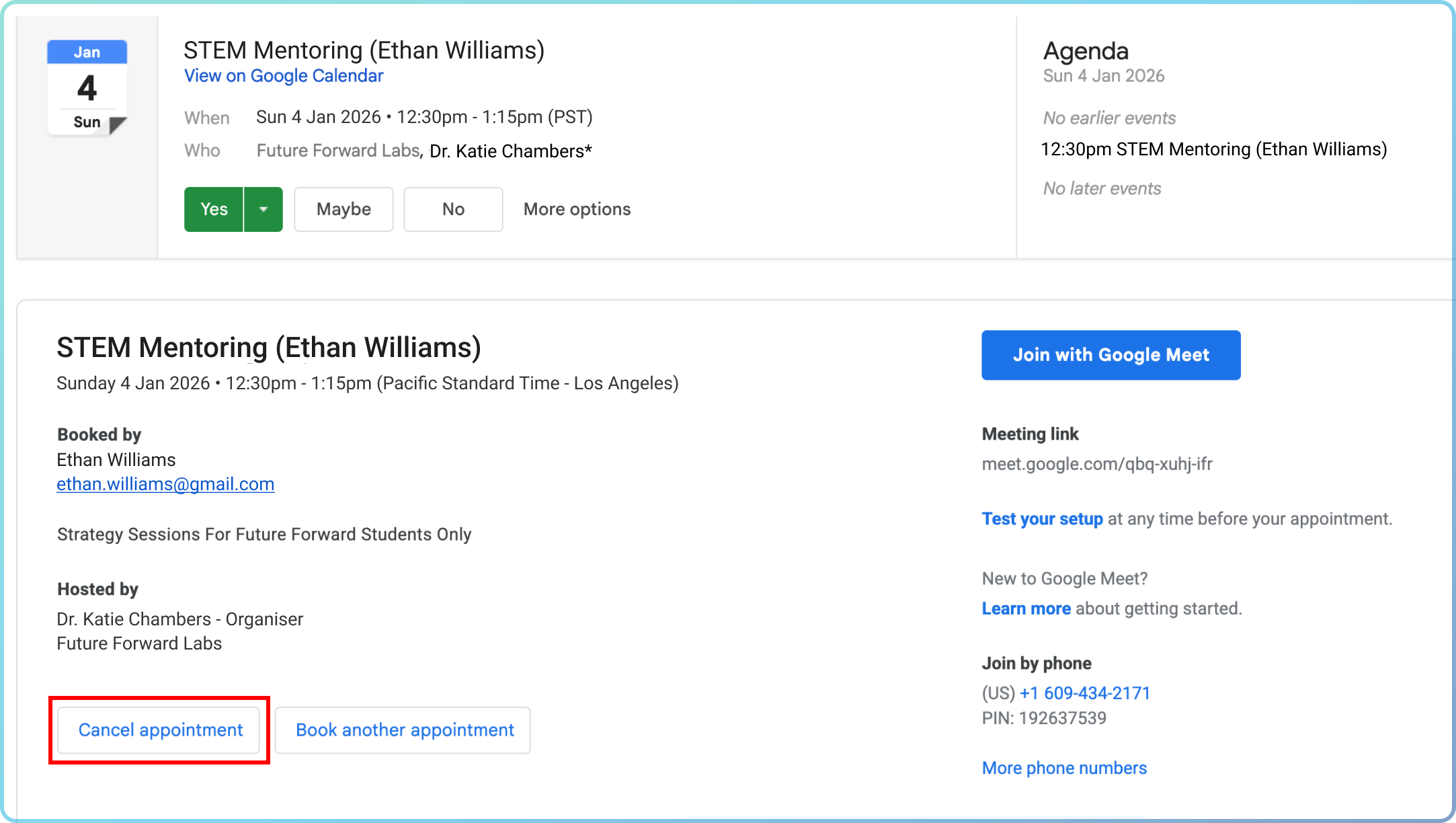
Option 2: Through the Confirmation Email
- •Open the email you received with the meeting invite.
- •Click the "Cancel appointment" button inside the email.
2. Book a New Session
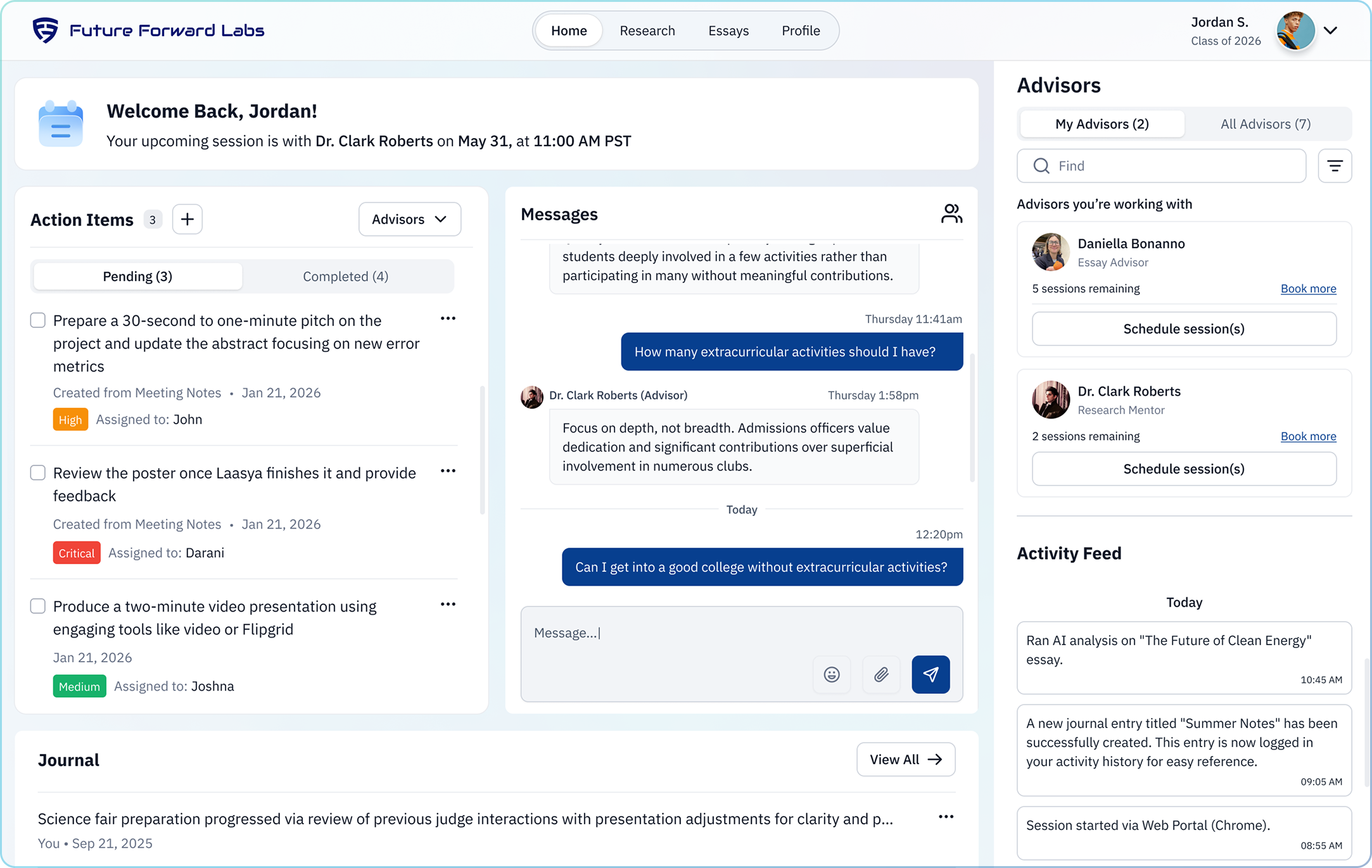
•Click "Schedule session(s)".
•Select the next available time that works for you.
